For personal trainers and the people they train

Your coach, always with you.

No more programs over WhatsApp, PDFs and spreadsheets: programs, workouts and messages in one app, on the athlete’s phone and in the Coach Portal.

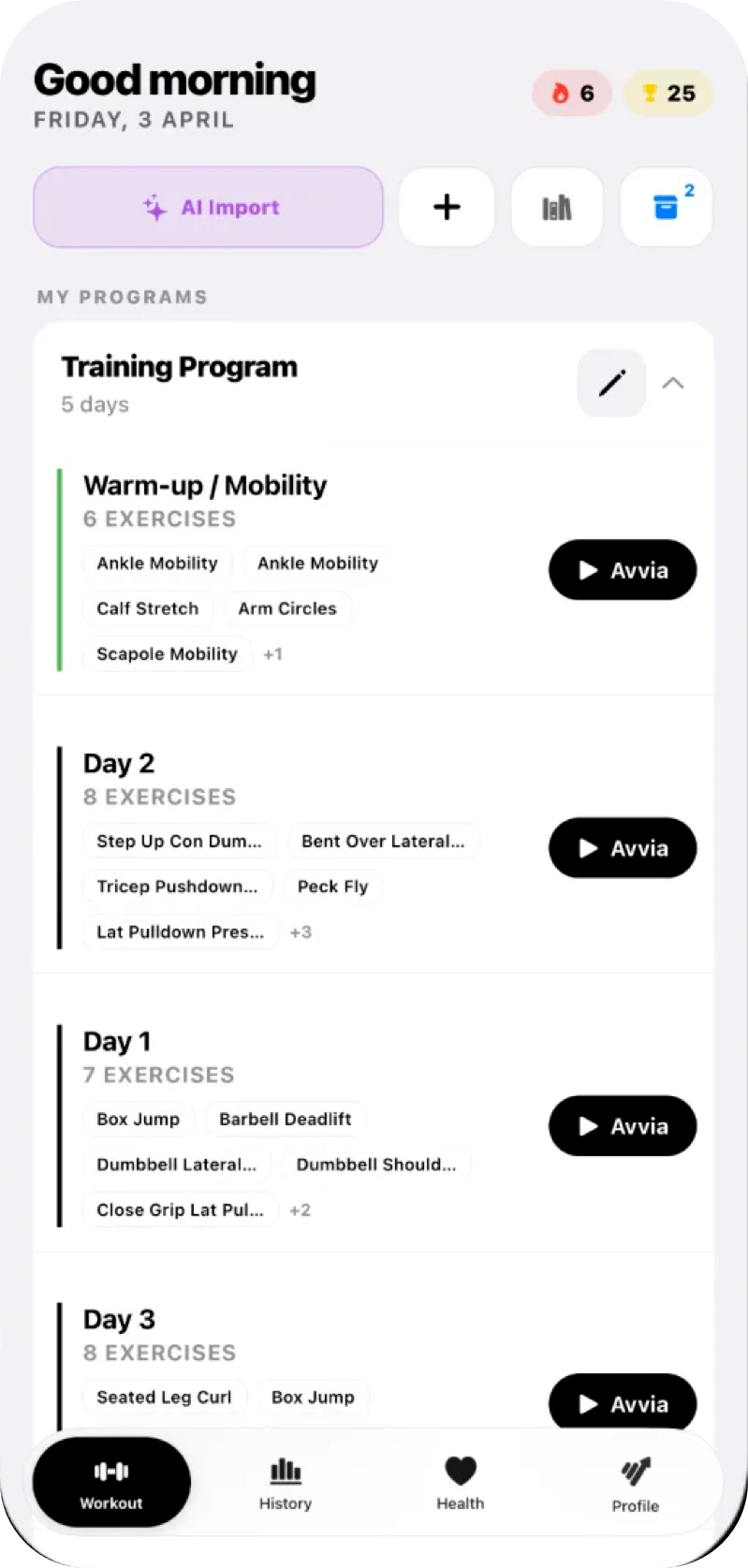
GymTracker: create and run a training program
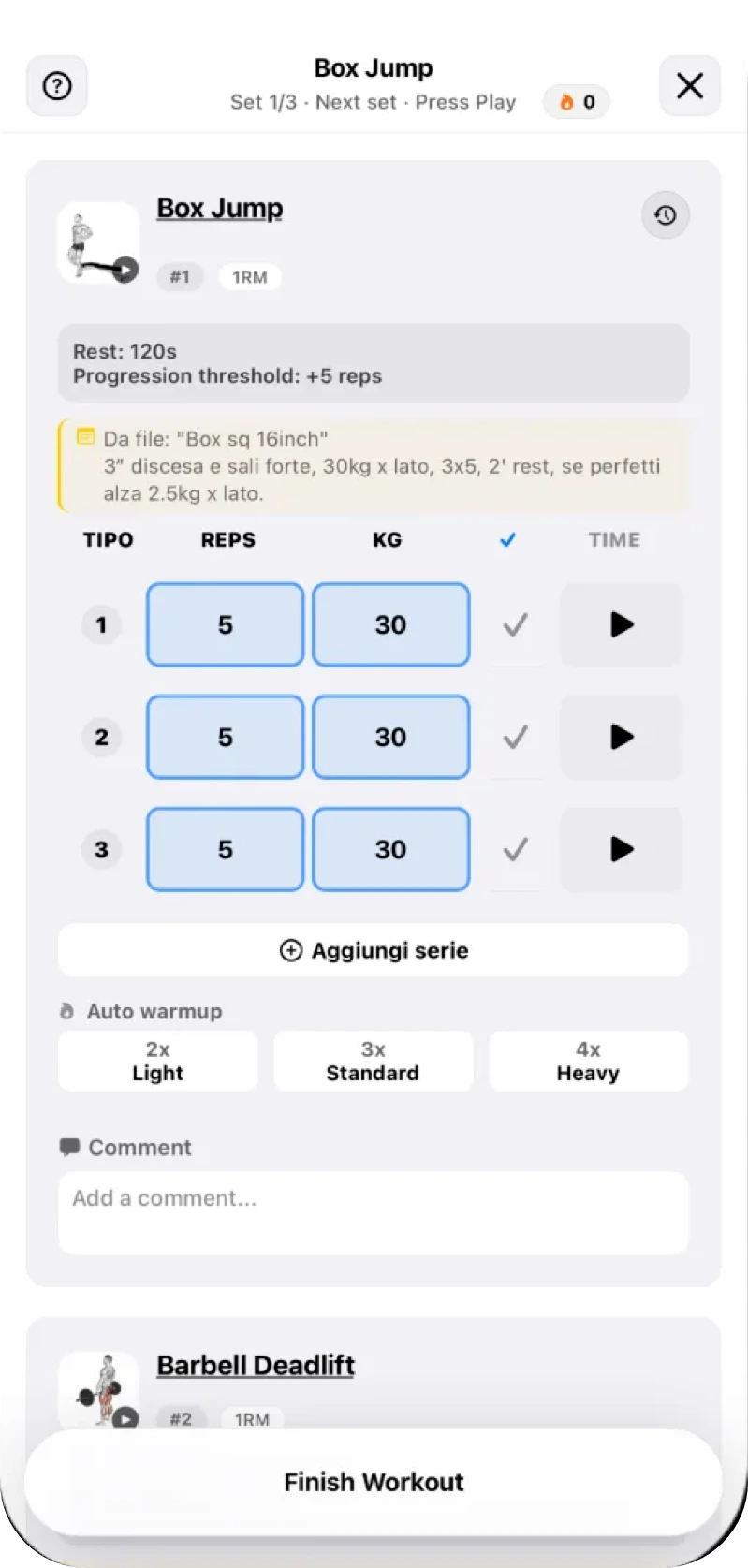
GymTracker: logging a set during a workout
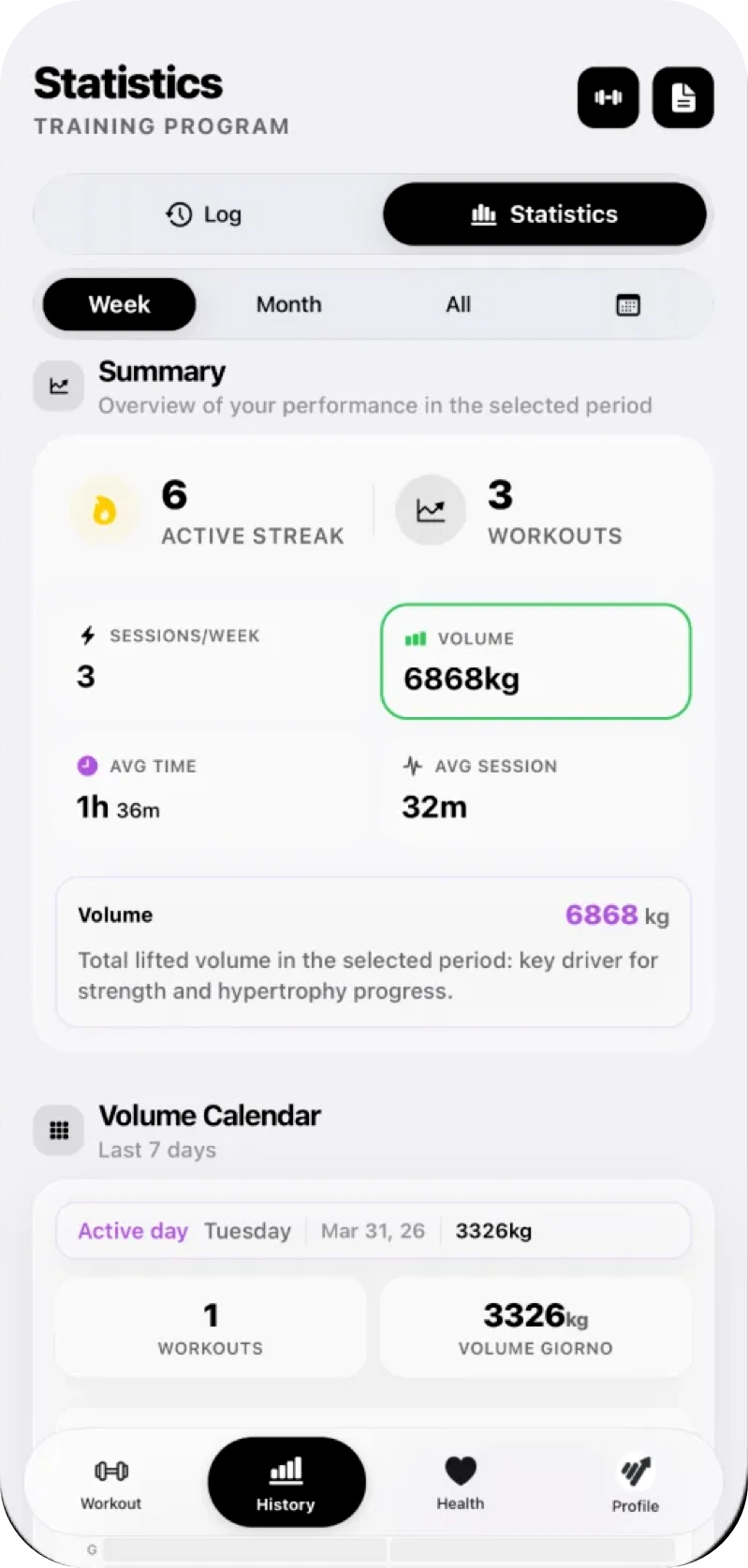
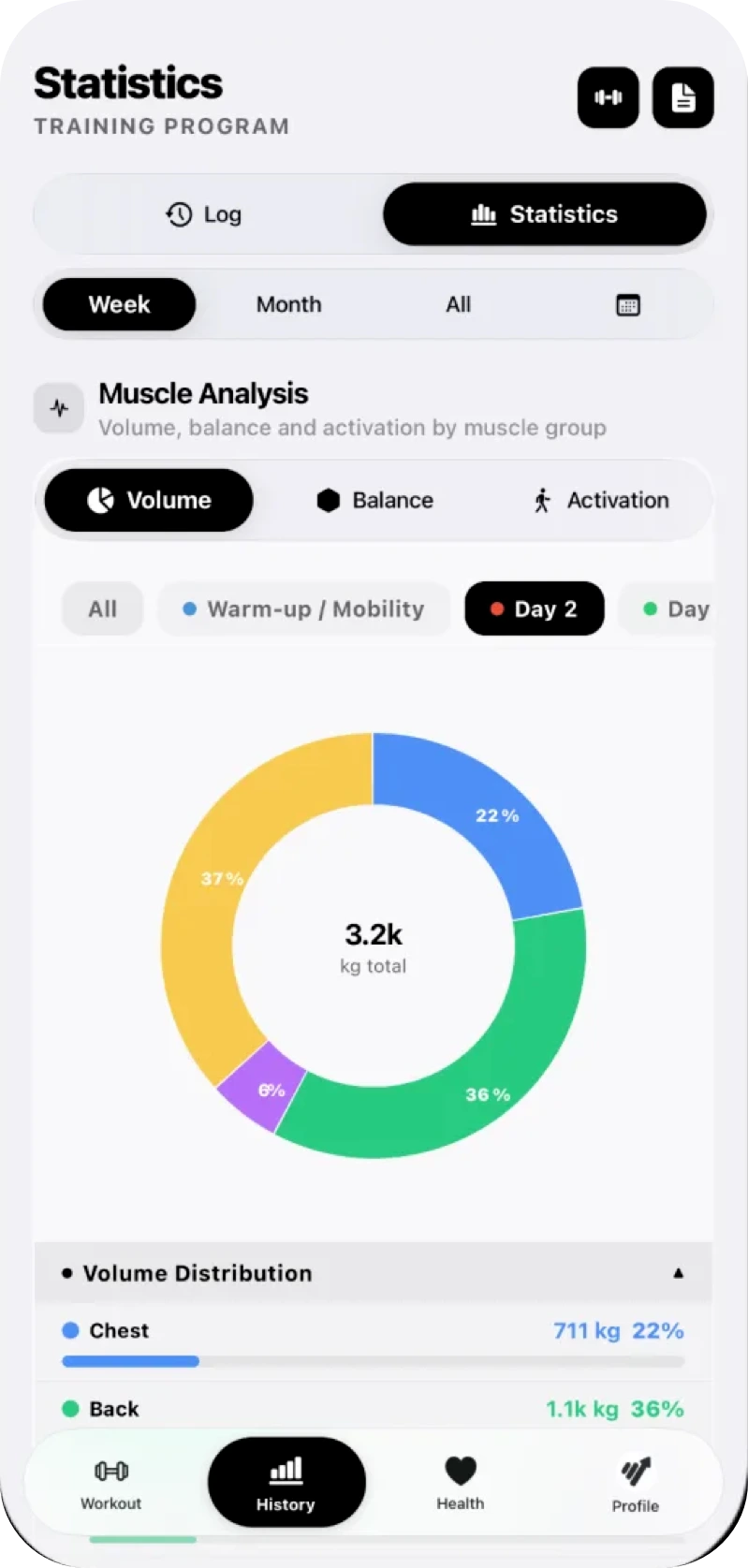
GymTracker: progress stats and volume calendar

Your coaching business, in your pocket and on the web

Programs, workouts as they happen, bookings and messages: everything you need to follow your athletes, even when you are not in the room.

  1. Invite your athletes

    Send a link or a code. The athlete downloads the app for free and joins you with one tap.

  2. Assign the program

    From one of your templates, from scratch or from an AI draft. It lands on the athlete’s phone with a notification.

  3. Follow every set

    Loads, reps, PRs and comments come back to you after each session. You adjust, they keep going.

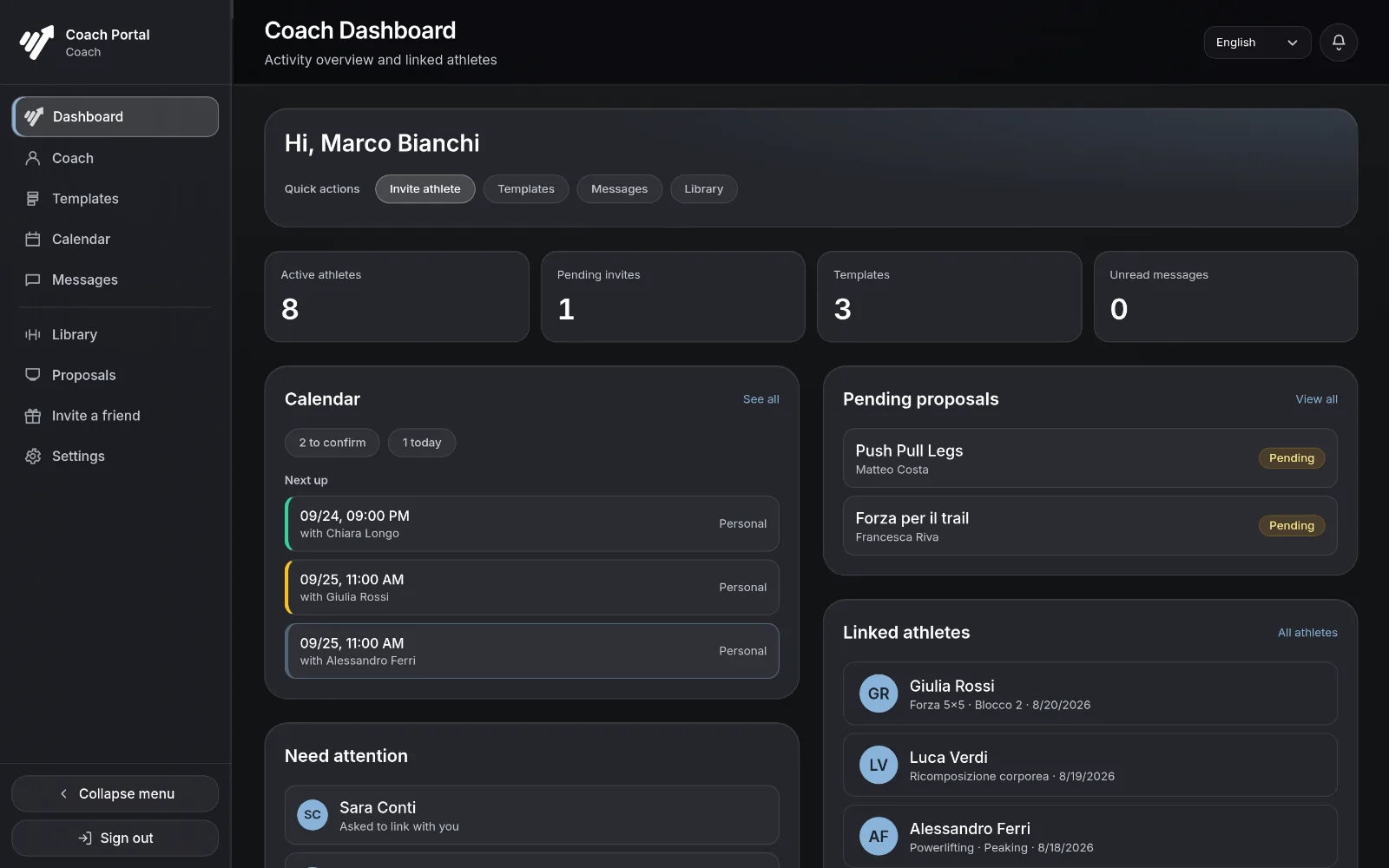
GymTracker Coach Portal

Your athletes’ day at a glance: bookings, proposals waiting, who needs attention.

Real portal, demo athletes. The Coach Portal is for your computer; on your phone you follow your athletes in the app.

Free for your athletes. An athlete linked to you needs no plan at all: they receive your programs, log their workouts and message you. The Coach plan is yours alone.

The Coach Portal (Coach plan) opens with the same account you subscribe with in the app.

The app you actually use at the gym

With a coach or on your own: log every set, see your progress, keep your history. Every screen below is GymTracker as it runs today.

Volume 12 weeks
Weekly volume, session after session (sample data)

Progress

Volume, PRs and progression trends update after every session, so what you see is what you actually lifted.

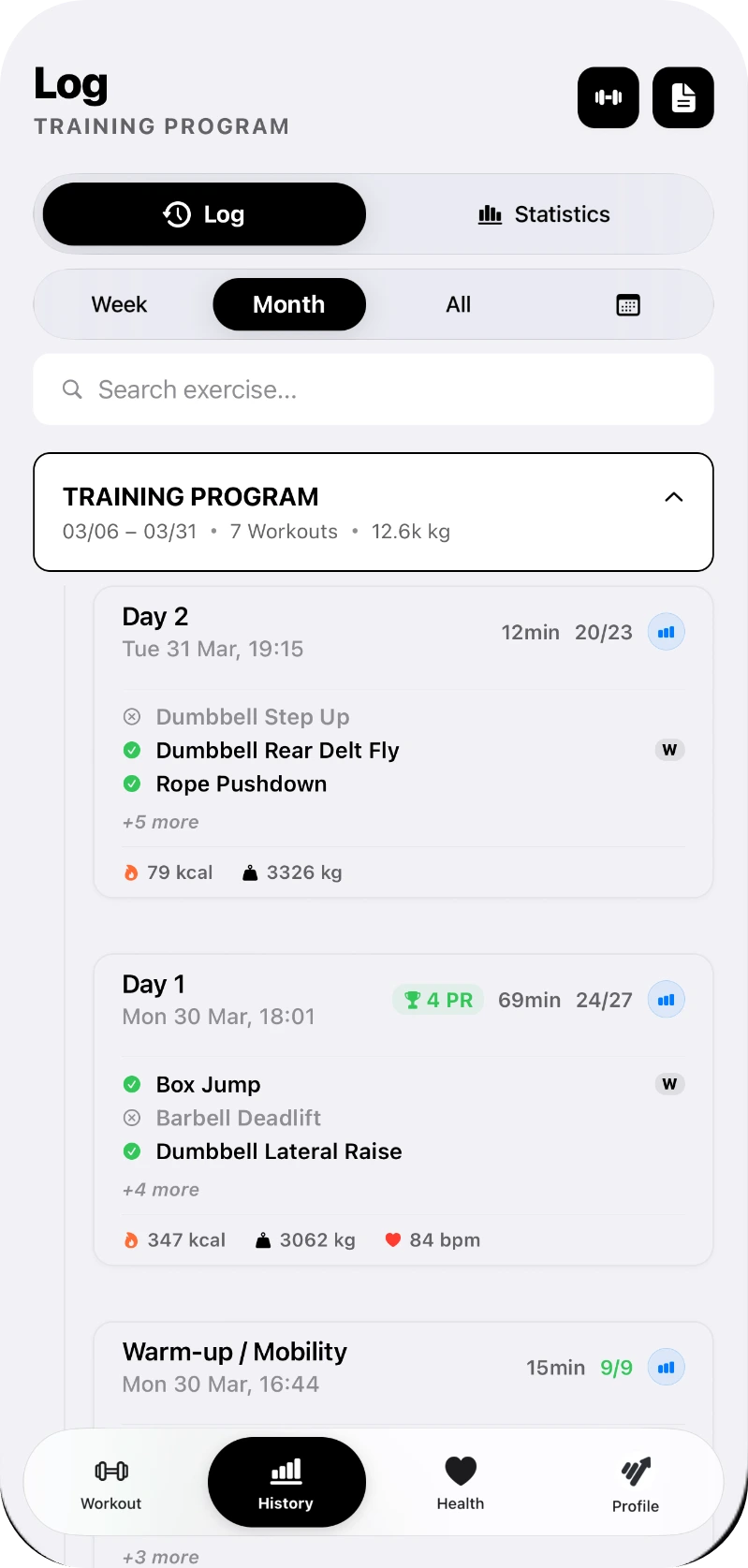
GymTracker workout history log

History log

Every session stays on record: date, duration, sets completed, kcal and PRs, searchable by exercise.

  • Date, time and duration of each session
  • Sets completed, volume lifted, kcal and heart rate
  • Personal records marked on the session that set them
  • Filter by week, month or all time, or search one exercise
Barbell Deadlift #2 · 1RM
Comment
Felt light today, try +2.5kg next time.

Example note

Comments on every set

Add a note to any set as you train: form cues, how it felt, what to try next time. Your coach reads them too.

Great week, bumping your squat next block.
Shoulder feels good again 👍

Example conversation

Easy communication

Coach and athlete stay in the same thread: a program lands, a set gets a note, a message closes the loop.

GymTracker training program editor

Programs and schedules

Build a program from scratch, import one from a PDF or photo, or receive one straight from your coach.

  • Several training days per plan, each started on its own
  • Sets, reps, load, rest and tempo per exercise
  • Circuits and EMOM alongside ordinary sets
  • AI import reads a PDF, a photo or plain text

Inside the app

A clear, fast interface for logging sets between exercises. iPhone and Android, dark and light mode.

One plan for coaches, one for athletes

Monthly or annual, and the year always costs less. Athletes linked to a coach pay nothing.

I train myself

GymTracker PRO. One price, every feature.

Early access −25%
Monthly
€3.99
€2.99/mo

I coach others

Everything in PRO, plus your athletes, the web portal and the agenda.

Early access −25%
Coach Pro
€39.99
€29.99/mo
unlimited athletes
or €299.99/yr, that is €25.00/mo
Annual −17%

Early access pricing · Prices shown for Italy, store price varies by country · Auto-renewing subscription · Cancel anytime

Athlete
Coach
Free
PRO
Coach
Coach Pro
Your own programs
1
∞
∞
∞
Programs from your coach
∞, read-only
∞
∞
∞
Training days / program
5
∞
∞
∞
Workout history
10
∞
∞
∞
AI per monthimports; for coaches also suggested programs, one limit
1 / month
10 / month
10 / month
200 / month
Workout reports
Advanced statistics
Basic
Advanced
Advanced
Advanced
Cloud backup
No ads
Athletes you coach
0
0
10
∞
Coach Portal on the web
Scheduling & appointments

Download the app, pick your plan inside it, and for the Coach plans sign in to the Coach Portal with the same account.

Before you start

What is GymTracker?

GymTracker Smart Progress is an app for personal trainers and their athletes, on iPhone, Android and Apple Watch. The coach writes the program, the athlete finds it in the app and every logged set goes back to the coach, who follows everyone from the app or from the Coach Portal on a computer.

How much does GymTracker cost for a coach?

The Coach plan covers up to 10 athletes, Coach Pro unlimited athletes, billed monthly or yearly. The prices are in the Pricing section, and you subscribe right in the app.

Do my athletes have to pay?

No. An athlete linked to a coach needs no plan at all: they receive programs, log their workouts and message their coach.

Does it work on iPhone and Android?

Yes. The app is on the App Store and Google Play, and the Coach Portal runs in your computer’s browser. With Apple Watch you can follow a workout from your wrist too.

Can I import the programs I already use?

Yes. AI import reads a PDF, a photo or plain text and builds the program for you: 1 a month on Free, 10 on PRO; for coaches it counts toward the plan’s AI limit.

Can I use GymTracker without a coach?

Yes. You log your workouts, build your own programs and track your progress. The Free plan costs nothing; PRO removes the limits and the ads.

Who can see my workout data?

Only you and the coach you link to. You can unlink from your coach at any time.

Download GymTracker

Free on iPhone and Android. On iPhone the Apple Watch app comes with it.

What’s new in version 1.7.10

A clearer workout, and an Apple Watch that matches the phone.

  • One exercise card everywhere: during the workout, in history and when editing a programme
  • Warm-up has its own chip that opens a dedicated dialog, and rest is always shown in seconds
  • Evenly spaced set columns and clearer hints
  • Apple Watch and Live Activity: the workout clock and the rest -10 / +10 buttons match the phone, and the vitals line up with the system clock
  • Reordering exercises is now a dialog, and dialogs open cleanly
  • Coach: status on every appointment, agenda split into To confirm and Confirmed, and every email opens the right screen in the app
  • The launch screen is centred on every iPhone

Questions? Write to us

Support, feedback or a question before you start coaching with GymTracker: write to us, we read every message.

info@gymtracker.studio