Import your workout plan with AI
Is your plan in a PDF from your coach, a spreadsheet, a photo or a WhatsApp message? GymTracker reads it with AI and turns it into a real program you can edit and follow at the gym, set by set. No more copying exercises by hand.
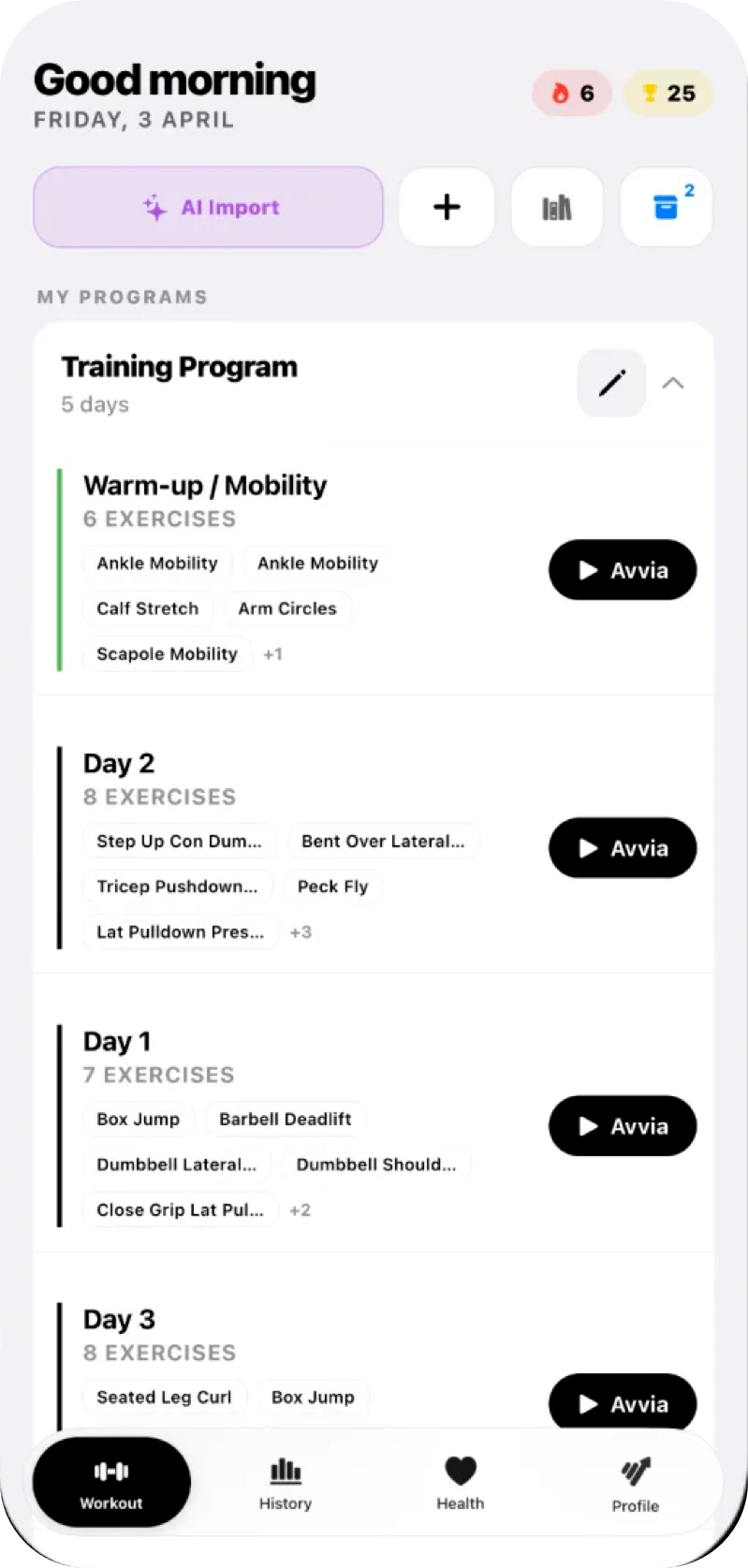
What you can import from
On the Workout screen you tap the AI import button and choose where the plan comes from. A file saved on your phone, a photo or pasted text: the AI works out the training days and the exercises, and the program appears among yours.
- PDFs, including the ones your coach sends
- Excel sheets and CSV files
- Word documents
- Photos from your gallery or taken with the camera
- Pasted text, for example copied from a WhatsApp chat
What the AI reads
A plan written by a person has no fixed format: “4x8 at 60 kg”, “rest 90s”, a superset written in someone’s own shorthand. The import recognises the training days, exercises, sets, reps, loads and rest, and keeps the exercise notes when there are any.
- Supersets and circuits, with their exercises linked together
- Warm-up sets, timed sets and sets to failure
- Every exercise matched to the library of over 1300 exercises
You check it before you start
The first time you import, the app tells you that an AI will read the document and waits for your go-ahead. When an exercise is uncertain, it asks you to pick the right one before you confirm. The result is a program you can edit like any other: check exercises, sets and reps, then start the first day. The original document stays at hand, and you reopen it from the program.
How many imports you get each month
The Free plan gives you 1 AI import a month, PRO gives you 10. For coaches, imports and AI-suggested programs share one monthly limit: 10 with the Coach plan, 200 with Coach Pro. The limit resets every month.
Questions about importing
Which files can I import?
PDFs, Excel sheets and CSV files, Word documents, photos from your gallery or taken with the camera, and pasted text, for example copied from a WhatsApp chat or a note.
Can I import a plan I received on WhatsApp?
Yes. If it is a text message, copy it and paste it into the import. If it is a PDF or a photo, save it to your phone and pick it as a file or from your gallery.
Is AI import free?
The Free plan includes 1 import a month, PRO 10. On the Coach plans, imports and suggested programs share one limit: 10 a month with Coach, 200 with Coach Pro.
What if the AI gets an exercise wrong?
When an exercise is uncertain, the app asks you to pick the right one before you confirm. After the import you can edit the program like any other: it is worth checking exercises, sets and reps before you start.
Is the original document kept?
Yes. From the imported program you can reopen the document it came from, to compare the two.